


Overview
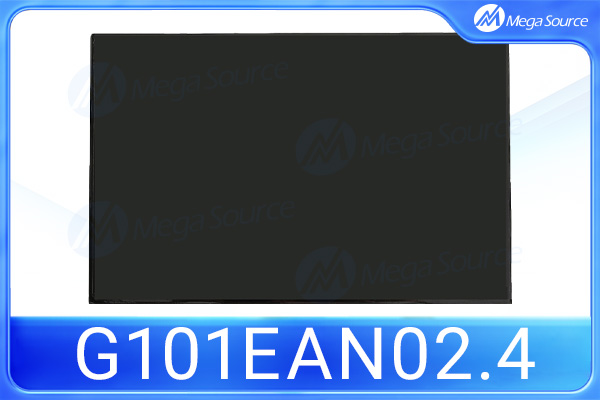
The G101EAN02.4 is an LCD display module manufactured by AUO, widely searched by engineers and buyers who need replacement units, stable supply, technical confirmation, or sourcing support for their display requirements. It features a 10.1" screen with 1280 x 3 (RGB) x 800 resolution, designed for reliable operation in demanding environments. This guide provides an overview of the module, its typical applications, key parameters to verify, and practical advice for sourcing it through a professional LCD supplier.
As a display component, the G101EAN02.4 is designed for integration into equipment that requires reliable visual output over long operating hours. Because display modules can vary by production revision, buyers are strongly advised to confirm the exact electrical and mechanical parameters against the original manufacturer datasheet before ordering.
Specifications
The table below summarizes the key parameters typically associated with the G101EAN02.4. Exact values should be confirmed with the original manufacturer datasheet, as production revisions may affect certain specifications.
TYPE | DESCRIPTION |
Display Size | 10.1" |
Resolution | 1280 x 3 (RGB) x 800 |
Composition | Color active matrix TFT-LCD module, AHVA, normally black |
Contrast Ratio | 600:1 (min.) / 800:1 (typ.) |
Brightness (cd/m²) | 320 cd/m² (min.) / 400 cd/m² (typ.) |
Interface | 1Lane eDP 1.2 |
Viewing Angle | 89° right / 89° left (H), 89° upper / 89° lower (V) at CR = 10 |
Color Depth | 16.7M colors (RGB 6-bit + FRC) |
Temperature Range | 0 to +60 °C (operating, front and rear surface), -20 to +60 °C (storage) |
Active Area | 216.96 (H) x 135.6 (V) mm |
Pixel Pitch | 0.1695 x 0.1695 mm |
Outline Size | 227.72 (H) x 147.8 (V) x 2.97 (t) max (panel side) / 4.8 (t) max (PCBA side) mm |
Power Supply | 3.3 V (typical) |
Response Time | 29 ms (typ.) / 38 ms (max.) rising + falling |
Surface Treatment | HC (hard coat) |
Pixel Arrangement | R.G.B. vertical stripe |
Color Gamut | 50% |
Brand | AUO |
Typical Applications
The G101EAN02.4 is commonly used in equipment that demands stable display performance, including:
l Industrial control systems
l HMI and operator panels
l Medical and healthcare devices
l Test and measurement instruments
l Factory automation equipment
l POS and kiosk terminals
l Embedded systems and IoT devices
l Transportation and in-vehicle displays
l Security and surveillance monitors
Key Specifications Buyers Should Check
Before ordering the G101EAN02.4, buyers should verify the following parameters to ensure compatibility with their target system:
l Display size and active area
l Resolution and pixel format
l Interface type (LVDS, parallel RGB, TTL, etc.)
l Connector type and pin definition
l Brightness and backlight type
l Viewing angle and contrast ratio
l Operating and storage temperature ranges
l Outline dimensions and mounting holes
l Touchscreen compatibility
l Power supply voltage and consumption
l Lifecycle status and manufacturer datasheet version
Two LCD panels may look similar but may not be electrically or mechanically compatible. Always compare datasheet parameters side by side before ordering.
Common Pain Points When Sourcing
Buyers sourcing the G101EAN02.4 often face the following challenges:
l Hard-to-find or obsolete stock
l Unstable supply and long lead times
l Wrong model or similar model confusion
l Refurbished or pulled panels sold as new
l Dead pixels, scratches, or glass damage
l Backlight aging and color differences between batches
l Compatibility issues with existing systems
l Poor packaging causing transit damage
l Slow supplier response and no inspection before shipment
l Project delays due to unreliable sourcing
How to Choose a Reliable Supplier
To reduce sourcing risk for the G101EAN02.4, buyers should evaluate suppliers using the following criteria:
l Confirm real stock before payment
l Ask for clear product photos and label close-ups
l Check part number, date code, and condition (new, original, refurbished, pulled)
l Request pre-shipment inspection
l Confirm warranty terms and after-sales support
l Confirm packaging method for safe transit
l Confirm lead time and shipping options
l Request datasheet and compatibility confirmation
l Ask whether alternative models are available
Can the G101EAN02.4 Be Replaced by Another LCD Model?
LCD replacement cannot be judged only by screen size. Buyers must confirm resolution, interface, pin definition, connector location, backlight voltage, power supply, mechanical outline, mounting holes, touch panel structure, and overall system compatibility. The replacement should be confirmed by both the supplier and the customer's engineering team before bulk purchase.
Why Source the G101EAN02.4 from Mega Source?
Mega Source is an LCD display and electronic components sourcing partner that supports international buyers with stock checking, RFQ support, technical communication, pre-shipment inspection, packaging support, global delivery, and replacement model discussion. When you send an inquiry for the G101EAN02.4, the team can help verify availability, condition, and compatibility before you commit.
Contact Mega Source today to discuss your LCD display solutions and sourcing requirements.
FAQ About the G101EAN02.4 LCD Display
1. What is the G101EAN02.4 LCD display used for?
The G101EAN02.4 is typically used in industrial equipment, medical devices, test instruments, embedded systems, and other applications that require reliable display output.
2. How can I confirm whether the G101EAN02.4 is compatible with my equipment?
Compare the interface, connector pinout, power supply, backlight, and mechanical outline against your system requirements and the manufacturer datasheet.
3. What should I check before buying the G101EAN02.4 LCD module?
Confirm condition (new, original, refurbished, pulled), production revision, inspection reports, packaging, warranty, and lead time.
4. Can the G101EAN02.4 be replaced by another LCD model?
Possibly, but only after confirming electrical and mechanical compatibility with your engineering team and the supplier.
5. Why should I buy from a professional LCD supplier?
A professional supplier provides inspection, documentation, packaging, and technical support that reduce sourcing risk.
6. Can Mega Source help with alternative LCD models?
Yes, Mega Source can discuss replacement and alternative models based on your requirements.
7. How can I reduce quality risks when purchasing?
Request photos, pre-shipment inspection, clear condition statements, and warranty terms before payment.
Conclusion
Compatibility, quality inspection, datasheet confirmation, and supplier reliability are the keys to a successful G101EAN02.4 LCD purchase. If you are sourcing the G101EAN02.4 or a compatible alternative, send an RFQ to Mega Source for stock availability, quotation, product condition confirmation, and replacement support.